
Bradenton Herald News: Florida
McClatchyNews & Magazines
3.159.00 Reviews
- Version
- 11.1.16
- Installs
- 10.00K
- Age Rating
- Everyone 10+
Screenshots
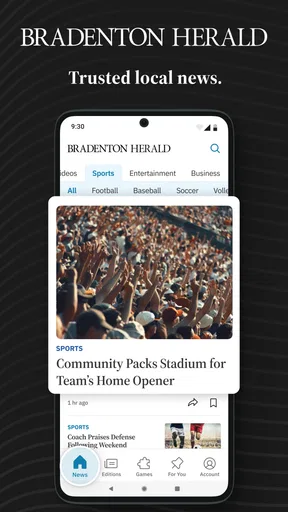
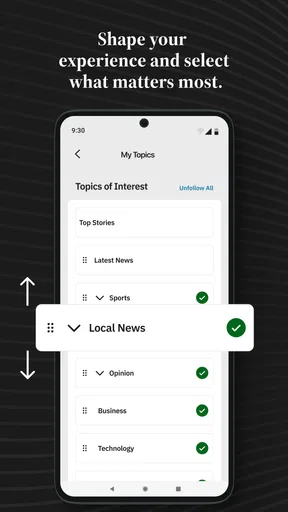
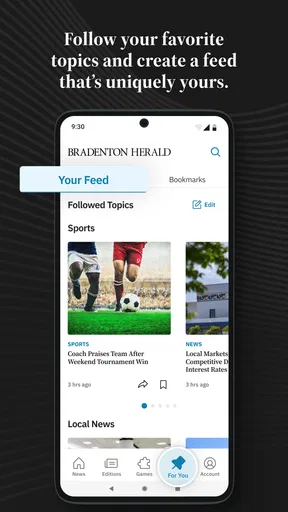
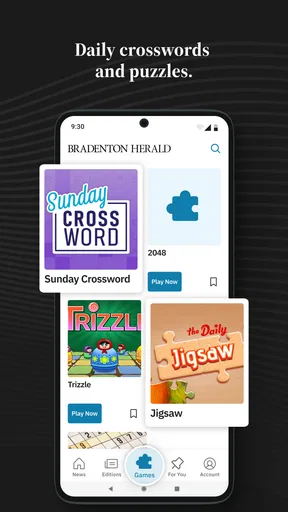
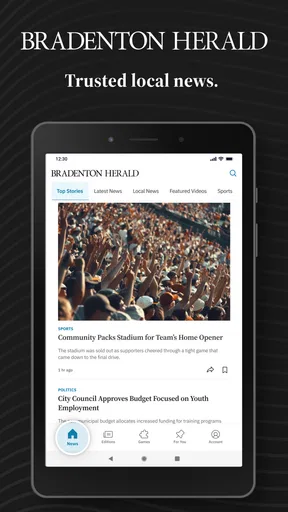
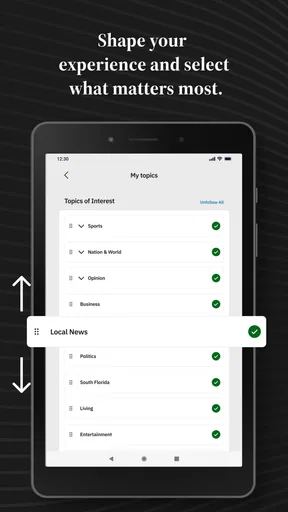
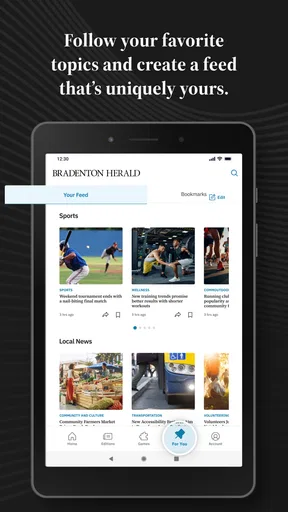
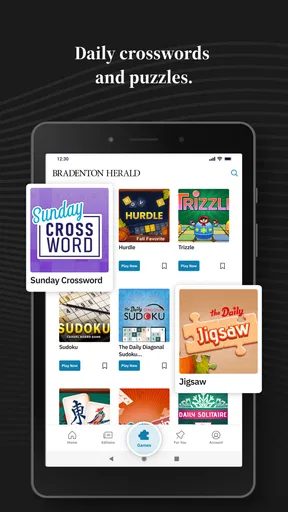
Our Review of Bradenton Herald News: Florida
 Analysis by Appyee
I spent time with Bradenton Herald News: Florida as a focused way to follow local reporting, and my overall impression is that it is most useful when I want Bradenton-area information gathered in one place rather than a broad national news feed. It is a free News & Magazines app from McClatchy, aimed at readers who care about Florida politics, crime, business, weather, sports, and breaking local developments. That focus is its main appeal, but it also means the experience depends heavily on having a dependable connection when news matters most.
The app has been available since January 31, 2012, and its current version is 11.1.16. It is suitable for Everyone 10+ and works on Android 8.0 or later. Its average rating is 3.1 from around 145 ratings, with roughly 59 written reviews, while its install count is over 10K. Those figures suggest a modest, specialized audience rather than a mass-market news platform. I would not choose it because I wanted the biggest possible news ecosystem; I would choose it because Bradenton and surrounding Florida coverage are more relevant to my day.
How Bradenton Herald News: Florida behaves when the connection matters
When I rely on a local news app during a busy day, the key question is not just what it covers but whether I can use it at the moment I need it. I’d treat Bradenton Herald News: Florida as a connected reading tool, then plan a simple fallback for urgent updates rather than assuming every story will load on demand. That distinction shapes how I’d fit it into a reliable routine.
Breaking news is strongest when the network is ready
The clearest strength of this app appears during connected moments. When I have a stable mobile or Wi-Fi connection, the local focus makes the reading experience feel more purposeful than opening a general news app and searching through national headlines. A developing local story, a weather change, or a regional sports update has a better chance of being noticed when the app is already centered on that community.
That same focus creates an important trade-off. The app is not something I would treat as a guaranteed emergency channel. If a storm is approaching, a road situation is changing, or a local public-safety story is unfolding, I would use it as one source alongside official alerts and other reliable channels. A news app can help me understand an event, but it should not be my only method of receiving urgent instructions, especially when network conditions are unstable.
In ordinary use, the most sensible routine is to open it when I have a connection, scan the newest local headlines, and read the stories that affect my plans. I found that approach more useful than repeatedly checking it without a specific reason. The app’s value comes from its local editorial concentration, not from replacing every other source of information on my phone.
A practical morning and commute routine
A realistic use case is a Bradenton resident checking the app before leaving home. With Wi-Fi available, I can review local developments, weather coverage, business news, and sports before heading out. If something affects the route or the day’s schedule, I have a chance to notice it before switching to navigation or another service. Once I leave the house, the app becomes more dependent on the quality of the cellular connection, so I would avoid assuming that every article or update will appear instantly in a weak-signal area.
For commuters, the app works better as a short check-in tool than as something to keep open continuously. Reading a few relevant stories before travel is more practical than trying to follow a live stream while moving between coverage areas. It also encourages a healthier distinction between news discovery and driving: I can catch up while parked, then use the information to decide whether I need another source for navigation or official instructions.
On a slower connection, the local emphasis remains helpful because I do not need to sort through unrelated national material first. However, a focused news app still needs to retrieve headlines and article content from somewhere. That makes connection quality part of the product experience, not just a background technical detail.
What happens when coverage drops
The main friction I noticed is easy to understand: a news app is only as current as the information it can retrieve. If I open it in a basement, on a crowded network, or in a place with inconsistent cellular service, I should expect a less dependable reading session. Headlines may take longer to appear, and opening a full article can be less comfortable than it is on a strong connection.
I would handle that situation by changing my workflow rather than repeatedly tapping the same screen. First, I would wait until the connection improves, then reopen the section I was trying to read. If the story concerns safety, weather, or a rapidly changing event, I would check an official source as well. This is one of the most useful habits with any local news app: treat the publication as a reporting and context source, but use dedicated emergency systems for immediate warnings.
The app’s free entry point also makes it easy to keep installed as a secondary local source, even if I use another service for national headlines. That is a better fit for its role than expecting it to recover every time a connection fails. I would also avoid beginning a long reading session just before entering an area where I know service is unreliable. A short connected scan is more predictable than depending on the app during a dead zone.
Using it without wasting mobile data
Because the app covers several local subjects, it can invite frequent checking. My advice is to make those checks intentional. I would open it once in the morning, again when a major local event is developing, and perhaps later for sports or evening updates. That keeps the app useful without turning every idle moment into another network request.
When I am on mobile data, I would start with headlines and only open the stories that genuinely matter to me. This is a simple but effective trade-off: local reporting is valuable because it is specific, while reading every available article can consume time and data without adding much to my day. Weather and breaking-news coverage deserve priority when conditions are changing; longer background pieces can wait until I am on Wi-Fi.
I would also be careful with the subscription side of the experience. The app is free to install, but in-app purchases range from $7.99 to $159.99 per item. That does not make the app unusable, but it does mean I would read the purchase screen carefully before committing. A reader who only wants occasional local headlines should decide whether the free experience meets that need, while a regular Bradenton news reader may find a paid option more relevant if it provides the access they want. The important point is to make that decision deliberately rather than assuming “free” means every part of the publication is included at no cost.
Where it fits beside other news choices
Compared with a broad news aggregator, this app’s advantage is the local starting point. Aggregators are better when I want to compare many publishers, follow national politics, or build a wide subject mix. They can also be more convenient for people who want one feed covering several cities. Bradenton Herald News: Florida is more appealing when local relevance matters more than breadth.
Compared with a newspaper website opened in a browser, the app offers a more direct mobile entry point. I do not need to begin with a general search and then locate the local publication. That convenience matters during a quick morning check. The browser may still be preferable when I am working across several sources, using a larger screen, or trying to compare coverage side by side.
Compared with social media, the app gives me a more deliberate path to local reporting. Social feeds can surface eyewitness posts quickly, but they also mix rumor, commentary, advertising, and unrelated material. I would rather use this app for a structured look at Bradenton-area coverage, then use social platforms only as a supplementary way to discover what people are discussing. Neither approach should replace official information during emergencies.
Who will benefit most from the local focus
I think this app is a good match for people who live in Bradenton, have family there, work in the area, or want a regular connection to Florida news from that community. It is especially practical for readers who care about local politics and crime reporting but also want business, weather, and sports in the same publication. The narrow geographic focus is not a weakness for that audience; it is the reason to install it.
It may also help someone who has moved away but still wants a quick local check rather than a full national news routine. A former resident can open it when visiting family, planning a trip, or trying to understand what is happening in the area. The app’s value in that situation comes from reducing the effort needed to find region-specific coverage.
I would skip it if my primary goal were international news, financial markets, technology reporting, or a highly customizable multi-city feed. I would also skip it as a sole emergency tool. Readers who dislike subscription prompts or who want every article included in a single free experience should examine the purchase choices carefully before making it part of their daily routine.
Small habits that make the experience better
My first practical tip is to use the app as a local filter, not as an all-purpose news replacement. I would decide which sections matter most—perhaps weather and local reporting during the week, then sports on game days—and avoid treating every category as equally urgent. That makes the focused coverage feel less overwhelming and reduces unnecessary browsing.
My second tip is to separate “discovering a story” from “confirming what to do.” The app can help me notice a developing event and understand its local context. If that event affects evacuation, travel, public safety, or health, I would confirm instructions through the responsible official channel. This two-step workflow is more reliable than expecting a general news article to function as a live alert system.
My third tip is to choose reading times around connectivity. I would use a reliable Wi-Fi connection for longer articles and reserve cellular use for quick headline checks or stories that are immediately relevant. That is particularly useful for readers with limited data plans or anyone who often travels through inconsistent coverage. The app becomes easier to live with when I work with its network dependence instead of ignoring it.
A fourth useful trade-off concerns installation and expectations. Since it is free to download and supports Android 8.0 or later, it is relatively easy to try on a compatible device. I would spend a few days deciding whether the local coverage fits my routine before considering any in-app purchase. That gives me time to judge how often I return, which topics I actually read, and whether the connection-dependent workflow suits me.
A balanced look at the reading experience
What I appreciate most is the sense of purpose. Opening a local news app can be more efficient than wandering through a general feed when I already know that Bradenton-area developments are what I need. The combination of politics, crime, business, weather, and sports gives the app enough range for a community-focused routine without losing its regional identity.
The limitations are equally important. A 3.1 average rating indicates that the experience has not satisfied every reader, and I would approach it with realistic expectations rather than assuming it will feel as polished or broad as the largest national apps. The connection requirement can make timing matter, especially when I am away from dependable Wi-Fi. The presence of in-app purchases also means the free installation should not be confused with unlimited access to every possible part of the publication.
Those drawbacks do not cancel out the app’s usefulness, but they define who should install it. Someone seeking a local publication on a phone may find the focus worthwhile. Someone seeking a universal news dashboard may find the geographic scope too narrow. That distinction is more important than comparing it only by install count or rating.
My connectivity verdict
I recommend Bradenton Herald News: Florida to readers who want a direct, community-centered way to follow Bradenton and Florida news and who are comfortable checking it when a stable connection is available. McClatchy’s app is most convincing as a local companion: useful for a morning scan, a quick update before plans change, or a more focused alternative to a noisy social feed.
I would not make it my only source for urgent alerts, and I would not pay for anything without first understanding how the purchase fits my reading habits. For the right audience, however, its local concentration is a real advantage. If Bradenton news is the information you actually need, this app is worth trying; if you want broad coverage or offline certainty, a different news setup will suit you better.
In the end, my recommendation is conditional but positive. Install it if local Florida reporting is central to your day, use Wi-Fi for deeper reading, keep official alert channels available for emergencies, and judge the optional purchases by how consistently you return. That approach gives the app a fair chance while respecting its network-dependent nature and its narrower purpose.
Verdict
Strengths of Bradenton Herald News: Florida
- Covers local Bradenton and Manatee County news in detail.
- Offers timely updates on Florida stories and community events.
- Includes sports, weather, politics, and lifestyle coverage.
- Provides a convenient mobile reading experience.
- Helps residents stay informed about nearby developments.
Limitations of Bradenton Herald News: Florida
- Some articles or features may require a subscription.
- Advertising can interrupt browsing and affect readability.
- News coverage is mainly focused on the local Florida area.
- App performance may depend on a stable internet connection.
- Frequent notifications may feel excessive for some readers.
Other Releases by McClatchy
View All
Fort Worth Star-Telegram News
News & Magazines3.0

The Charlotte Observer | News
News & Magazines2.7

Sacramento Bee News California
News & Magazines3.1

Kansas City Star | Local News
News & Magazines2.8
Similar Picks in This Category
View All
Google News - Daily Headlines
Google LLC4.0

X
X Corp.4.8

Flipboard:Your Social Magazine
Flipboard3.4

Opera News: breaking & local
Opera4.5

Hindi News by Dainik Bhaskar
Dainik Bhaskar Group4.0

Way2News Daily News App
Way2News ( Formerly Way2SMS )4.6
Frequently Asked Questions
What is the Bradenton Herald News: Florida app?
Bradenton Herald News: Florida is a mobile news app focused on local reporting from Bradenton, Manatee County, and surrounding areas. It typically brings together breaking news, community updates, politics, education, crime, local events, sports, business, and weather information. The app is designed for readers who want convenient access to regional journalism while using an Android or iOS device.
Is the Bradenton Herald app free to download and use?
The application can generally be downloaded without an upfront charge, but access to all articles and premium features may depend on the publisher’s subscription model. Some stories may be available to everyone, while other content could require a digital subscription or account. Before downloading, check the current store listing and in-app terms for pricing, trial periods, renewal conditions, and available subscription options.
What type of news can I read in the app?
The app is mainly intended for local and regional coverage rather than general national news. Readers can expect sections covering Bradenton and Manatee County, local government, public safety, schools, community developments, sports, entertainment, business, and weather. Coverage and section names may change over time, so the available content can depend on current events, editorial priorities, and the user’s location.
Does the app send breaking-news notifications?
Bradenton Herald News: Florida may offer push notifications for breaking stories, important local developments, severe weather, sports results, and other updates. Notifications can be useful if you want immediate information, but frequent alerts may become distracting. After installation, review the app’s notification settings and your phone’s permissions so you can choose which alerts to receive or disable notifications completely whenever you prefer.
What should I check before downloading the app?
Before installing, confirm that your Android or iOS device meets the app’s current operating-system requirements and that sufficient storage is available. You should also review the developer name, privacy policy, permissions, recent update history, and user reviews in the official app store. If you plan to read subscriber-only articles, verify account and payment requirements, since some content may not be included with free access.
